Reviewing Proposals and Submitting Proposal Decisions
Coursedog Training Video: Proposal Dashboard, Reviewing Proposals and Submitting Proposal Decisions
Reviewing the Proposal
On the left side of the proposal you will see the date it was submitted and the author, the proposal type, form title, author and information about the course or program.
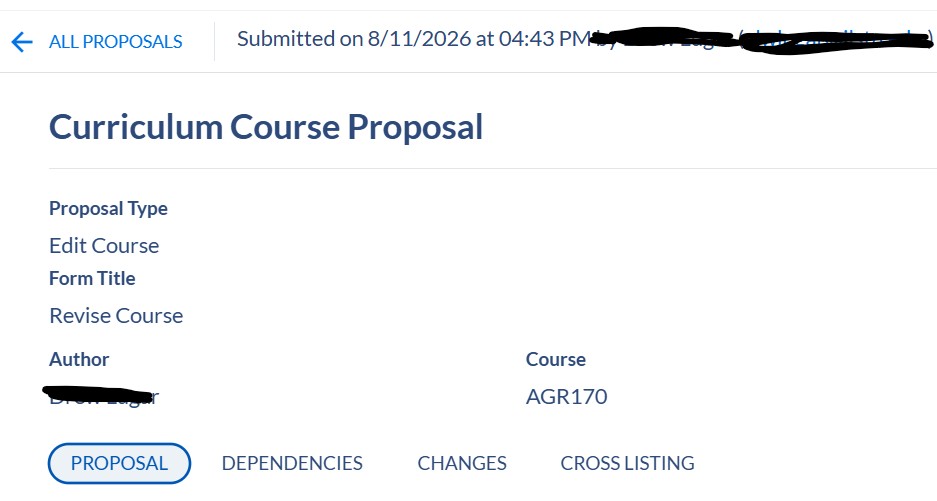
Click on the headings to view different information about the Proposal.
PROPOSAL: View the data fields related to the course or program. Some fields are integrated with Campus Solutions, Illinois State's student information system. Some fields will impact the approval workflow routing for a proposal.
DEPENDENCIES: Course proposals will show programs that include the course in the list of requirements and/or sample plans of study.
CHANGES: View the changes that have been made to the course or program.
CROSSLISTING: Course proposals will show any crosslisted courses and/or proposals associated with the course.
Making Decisions (Voting) on Proposals - Proposal Toolbox
Located on the right-side of the proposal. You will see the current status of the proposal and decisions that have been made thus far. Hover the mouse over each circle to see the title of the workflow step, or you can click on the Workflow Tab to see each of the steps. Click on the Activity Tab to see a list of fields that have been edited, comments and decisions that have been made regarding the proposal.
Users who are associated with a proposal workflow and have been given permissions to "vote" or "decide" on a proposal, such as the Committee Chair or a Department Chair, School Director, or Dean, will select the appropriate decision and hit submit. See below for a description of each Decision.
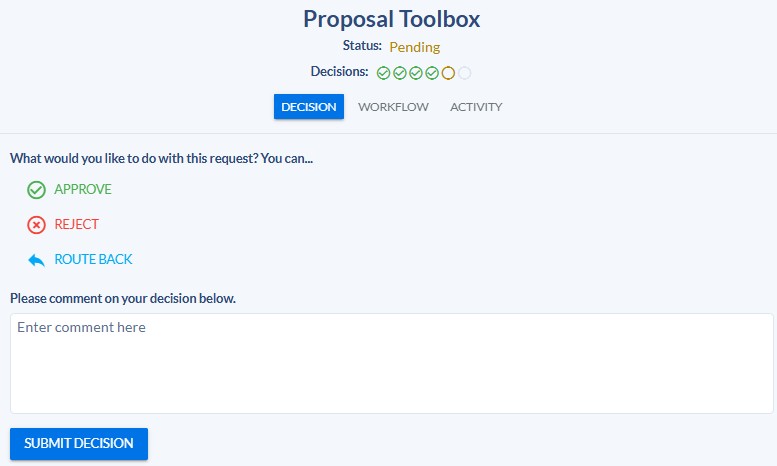
- APPROVE: This decision will move the proposal on to the next step in the workflow. If the proposal is in the last workflow step, clicking Approve fully approves the proposal and the Campus Solutions integrated fields will merge with that system and fields that are displayed in the Catalog will merge with the Catalog that the proposal was approved for.
-
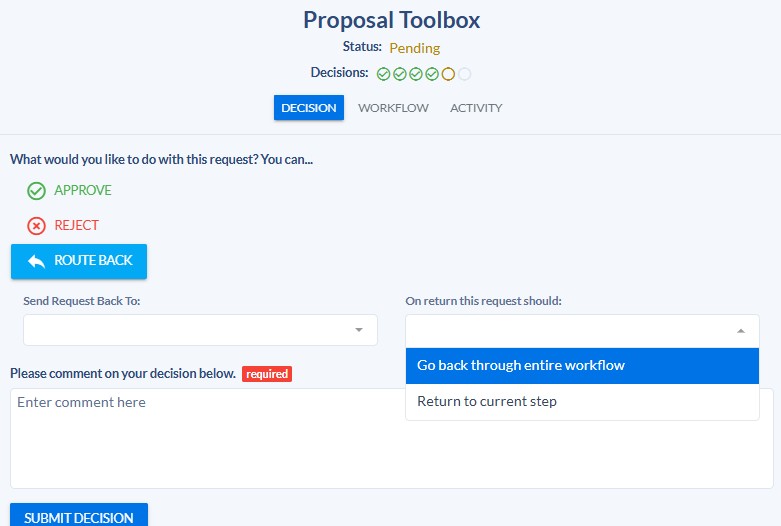
ROUTE BACK: This decision will route the proposal back to the author (or a previous step in the workflow) to request edits to the proposal. Users must indicate if, after edits are made, the proposal is routed back to the current step in the workflow or if the proposal must go back through the entire workflow again. If the requested edits are significant, it is recommended that the proposal be reviewed by all workflow steps again.
- The person making the decision to route a proposal back must provide comments, including a brief description of the requested edits and whether the proposal should return to the current workflow step or go back through the entire workflow.
-
- REJECT: This decision will kill the proposal. This cannot be undone, by anyone, including the Curriculum staff or Coursedog staff. The author will not be able to make edits, resubmit the proposal or copy and paste information into a new proposal.